Sending the same reminder every month, numbering documents, copying data from an email into a spreadsheet… Each task takes just a few minutes, but together they eat hours out of your week. Here are real automations running in projects I've built, and the method I use to decide what to automate first.
In a law firm: the CRM that works on its own
In the custom CRM of Osiadacz Abogados, a number of tasks are no longer done by hand:
- Payment reminders: on the 1st of each month at 9:00, an automatic email goes out for unpaid invoices.
- Daily summary: every morning, each lawyer receives their tasks by email, with overdue ones in red.
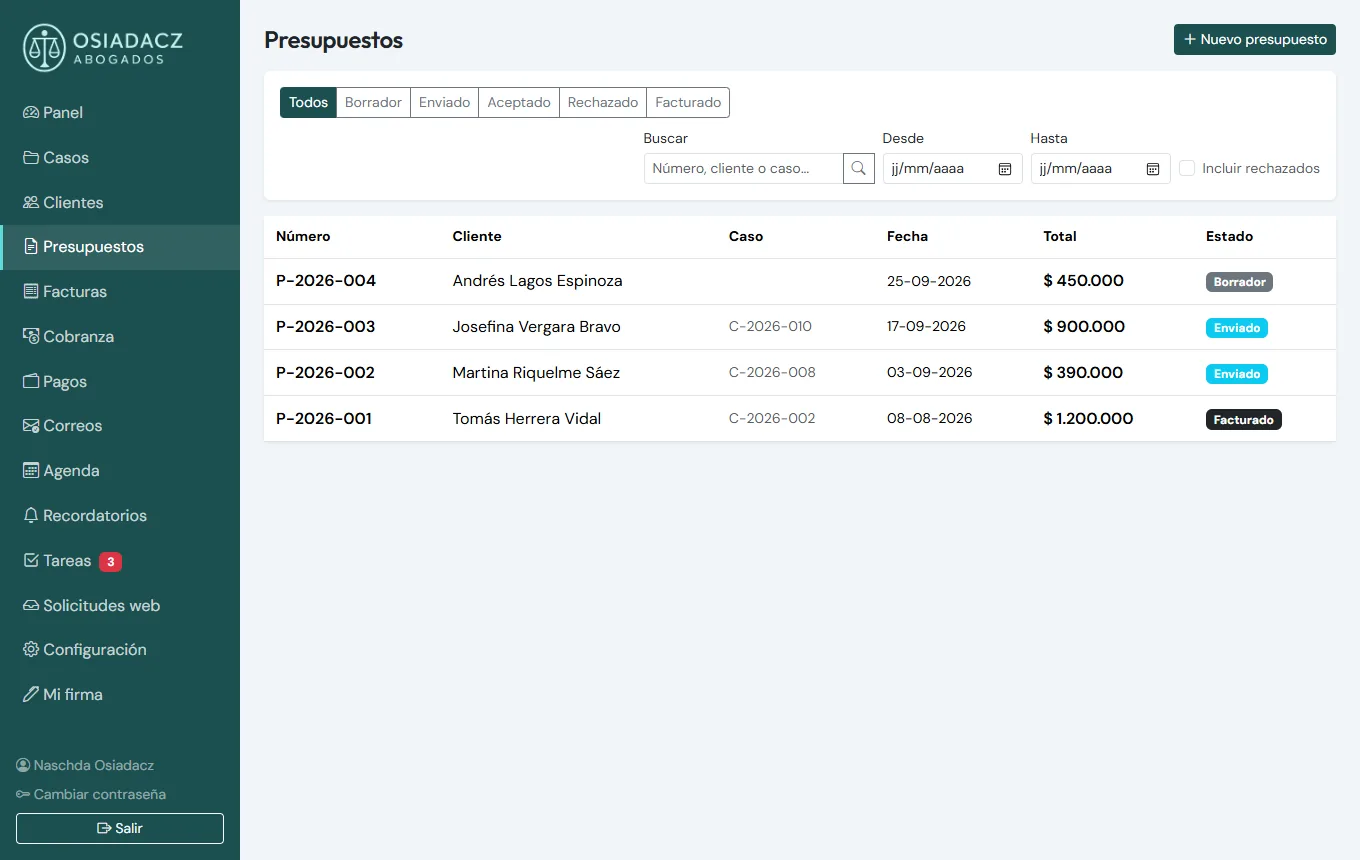
- Automatic numbering of cases, quotes, invoices and receipts.
- Email templates with the case data already filled in: acknowledgement, document request, status update, fee proposal and Google review request.
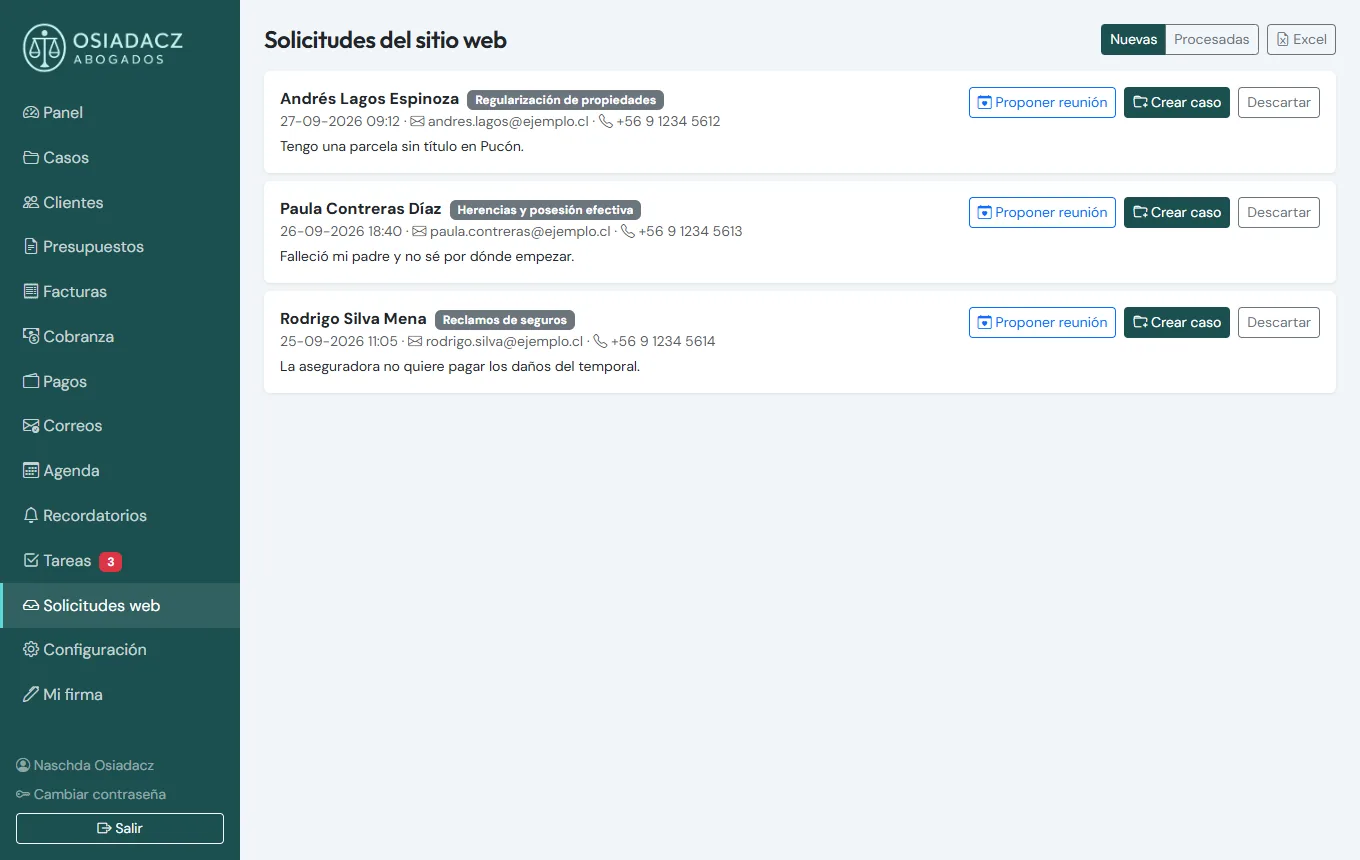
- Connected website forms: each enquiry creates the request and the client in the CRM, which recognises them by email or phone, with no duplicates.
- Quote accepted, invoice created: when the client accepts online, the invoice is generated.
- Exchange rates (UF, USD, EUR) fetched automatically every day.
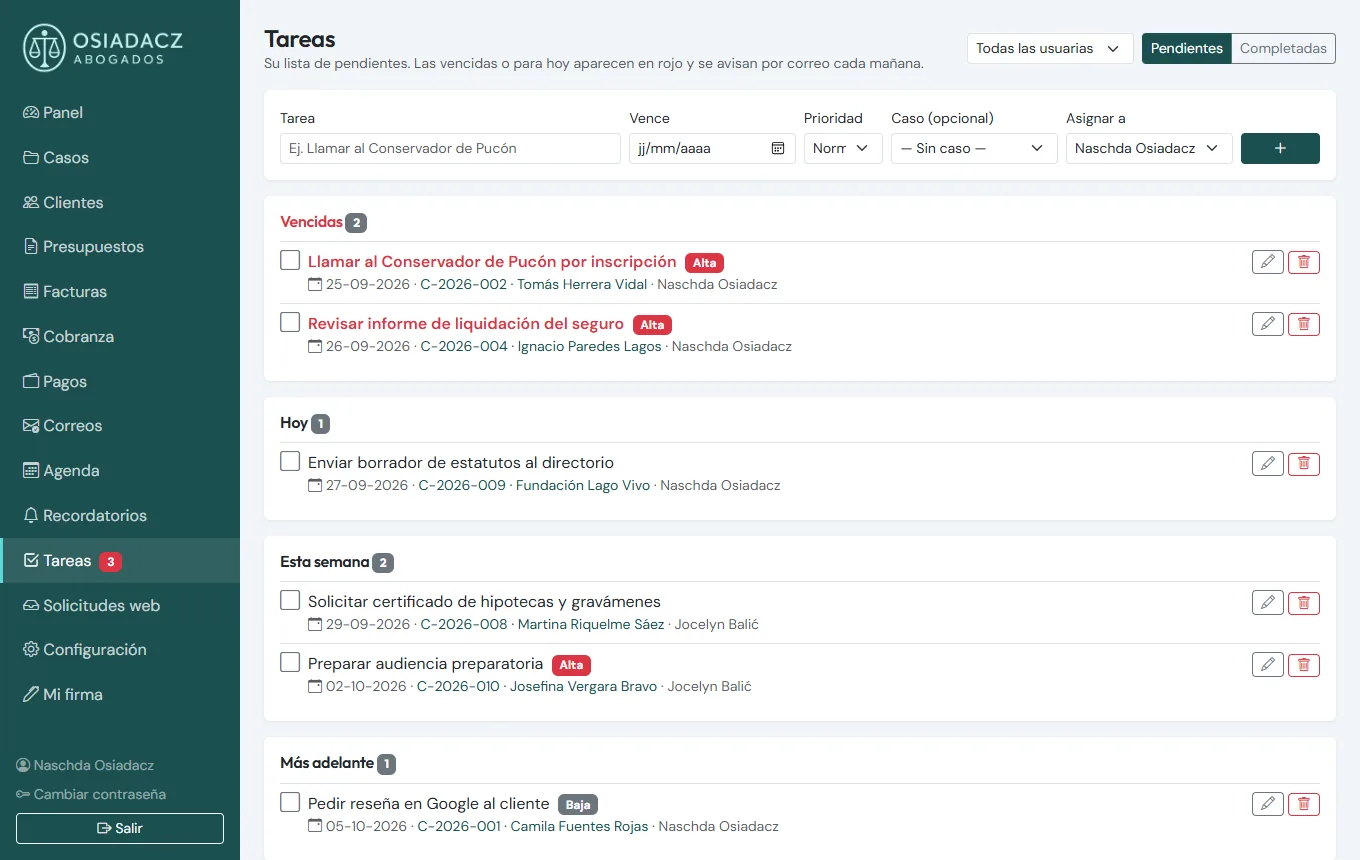
None of these automations is spectacular on its own. What changes the week is that they add up, and that they don't depend on someone remembering. More details in my article on custom CRMs for law firms and accountants.
For an accountant: no deadline forgotten
In ContAuditor, an accountant's CRM:
- Recurring reminders (weekly, monthly or yearly) so no deadline is missed.
- Import from Excel of the existing client list, in minutes rather than days of typing.
- Monthly payment breakdown PDFs, generated by the system. I explain how it works in automatic PDFs: quotes, certificates and reports.
On a real estate portal: the catalogue updates overnight
On Parcelas Patagonia, a portal of plots for sale, listings are imported every night from the brokers' feed: prices are updated and sold plots are removed automatically. New listings are translated into English every day. Nobody has to check the catalogue listing by listing.
On a tour guide portal: prospecting and a blog at a human pace
On Trekonda, a portal for tour guides:
- The prospecting campaign goes out at a human pace: one email at a time, Monday to Friday during office hours, with a daily limit and a single follow-up.
- Each week a blog post draft in 5 languages is prepared and saved for human review before it's published.
The method: what to automate first
- List the tasks you repeat every week.
- Estimate the time each one takes.
- Automate first the most frequent ones and those that cause the most errors.
- Keep a human check where it matters: money, clients, legal matters.
- Measure: how much time you won back and whether errors went down.
Not everything should be automated
A task you do twice a year, or one that needs different judgement every time, probably isn't worth it. Nor is it wise to automate a messy process: you would only make the mess faster, so tidy it up first. And many automations don't need artificial intelligence: a simple rule ("if the invoice is still unpaid on the 1st, send a reminder") is often enough, and it's cheaper and more predictable. AI is useful for other things, which I cover in AI for small businesses: 7 practical uses.
Where to start
Sometimes automation is one part of a larger system, such as an online appointment booking system that saves back-and-forth phone calls. Other times it's a small rule that saves you an hour every Monday. Either way, the starting point is the same: your list of tasks. If you'd like us to go through it together, have a look at my custom software development service.
Which tasks could you automate?
I offer a free analysis of your repetitive tasks: what's worth automating, in what order, and what's best left as it is.
Get my free analysisMessage me on WhatsApp