A generic CRM forces you to adapt the way you work to the software. A custom CRM does the opposite: it's built around your procedures, your documents and your clients. Here are two real cases I built in Chile: the law firm Osiadacz Abogados and the chartered accountant Cecilia Arancibia (ContAuditor).
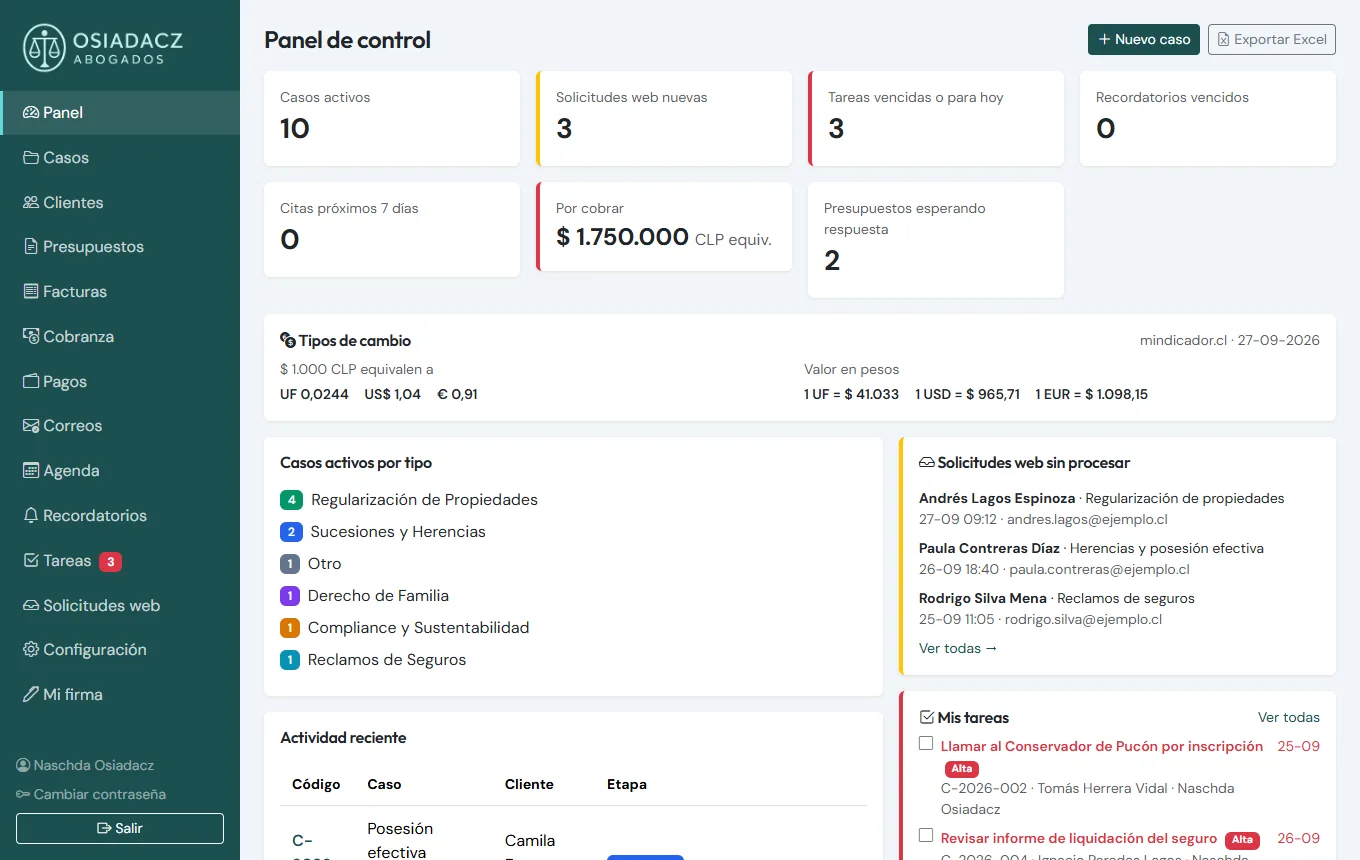
Case 1: Osiadacz Abogados, a CRM for a law firm
The firm handles property regularisation, inheritance, insurance claims, family law and compliance, between Pucón and Santiago. Everything used to be spread across emails, WhatsApp, Excel sheets and Word documents. Now it all lives in one system.
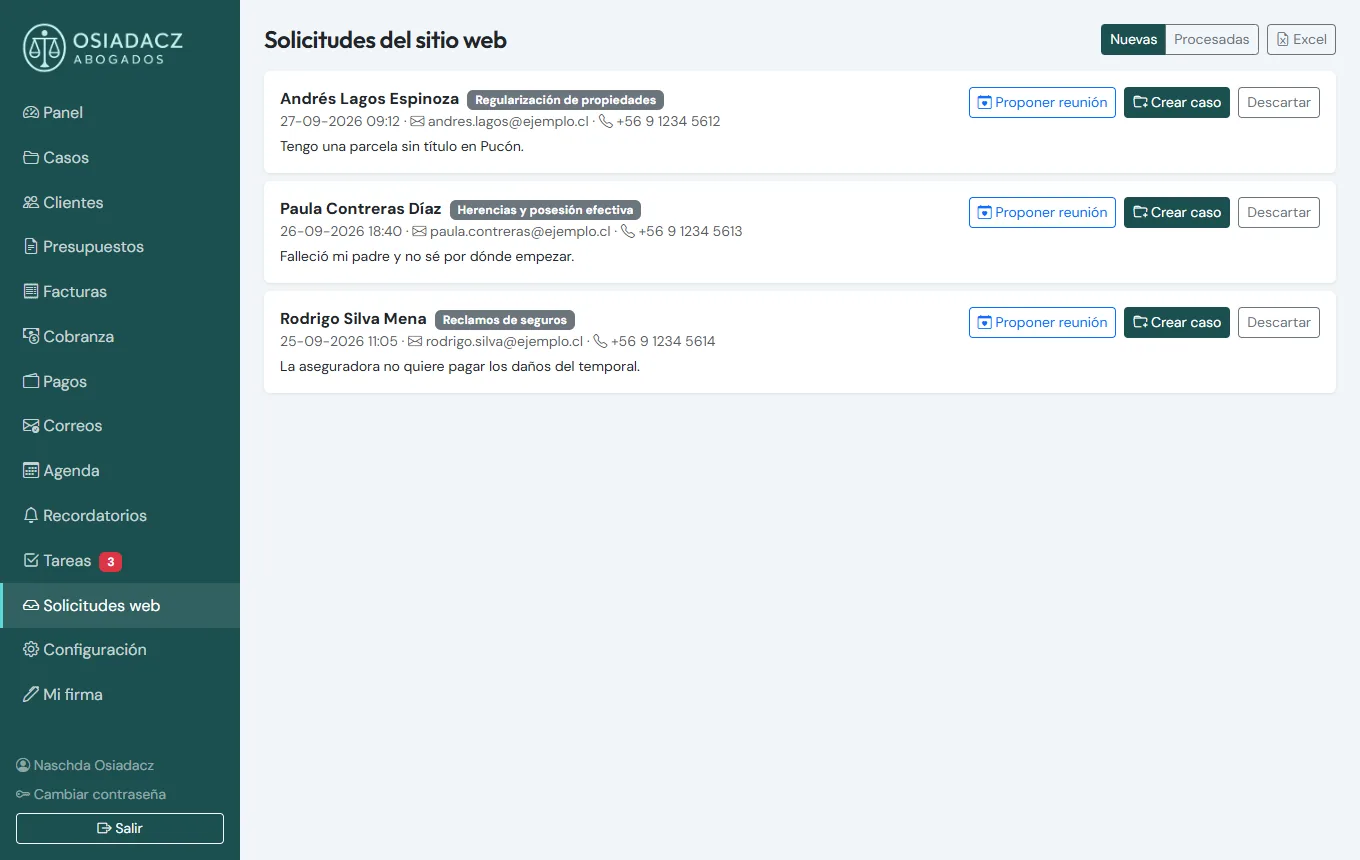
Website enquiries arrive on their own
Every form on the website creates an enquiry in the CRM, and the client is registered automatically (recognised by email or phone, no duplicates). From there, one click: propose a meeting by email, accept the enquiry, which creates the case, or discard it.
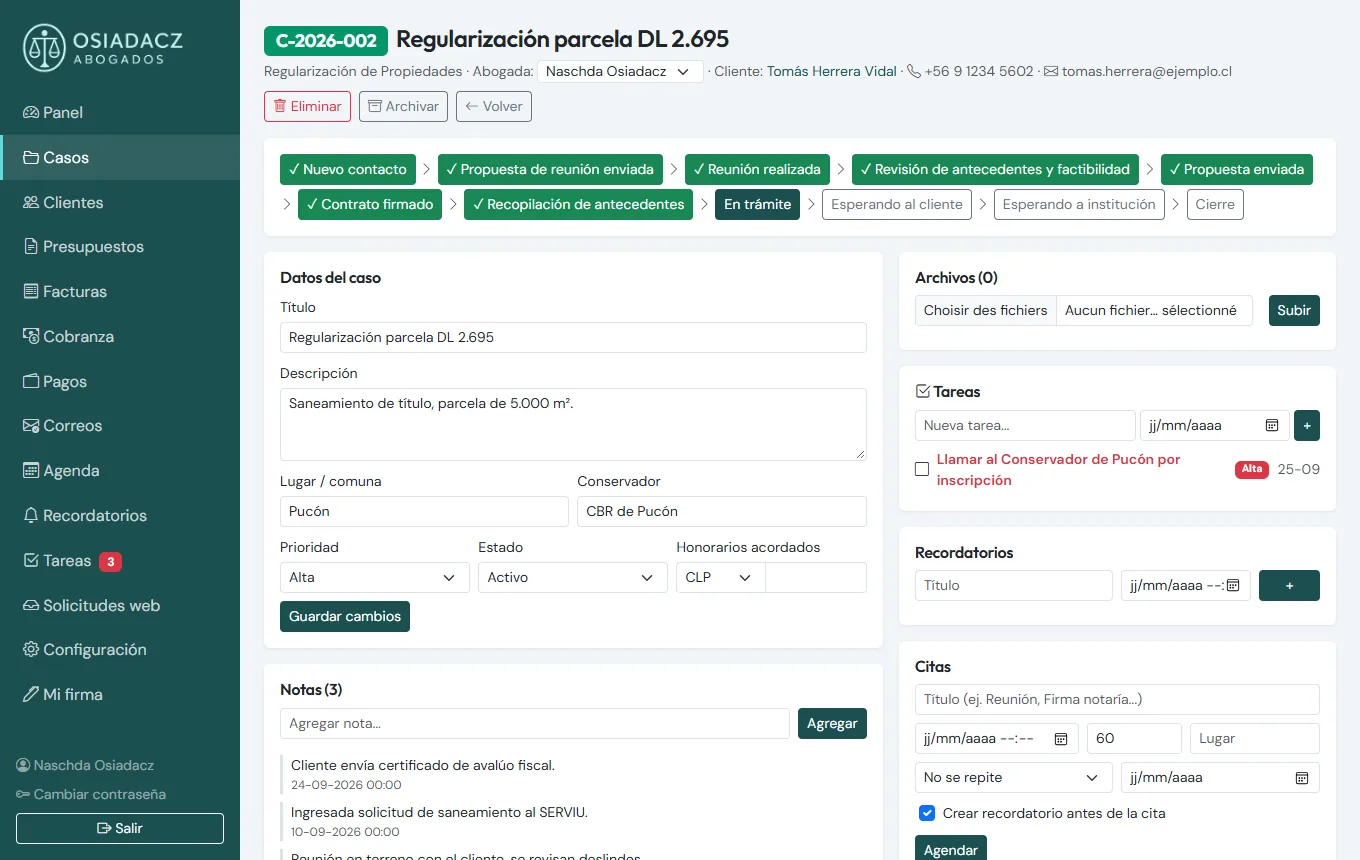
Create a case and follow it stage by stage
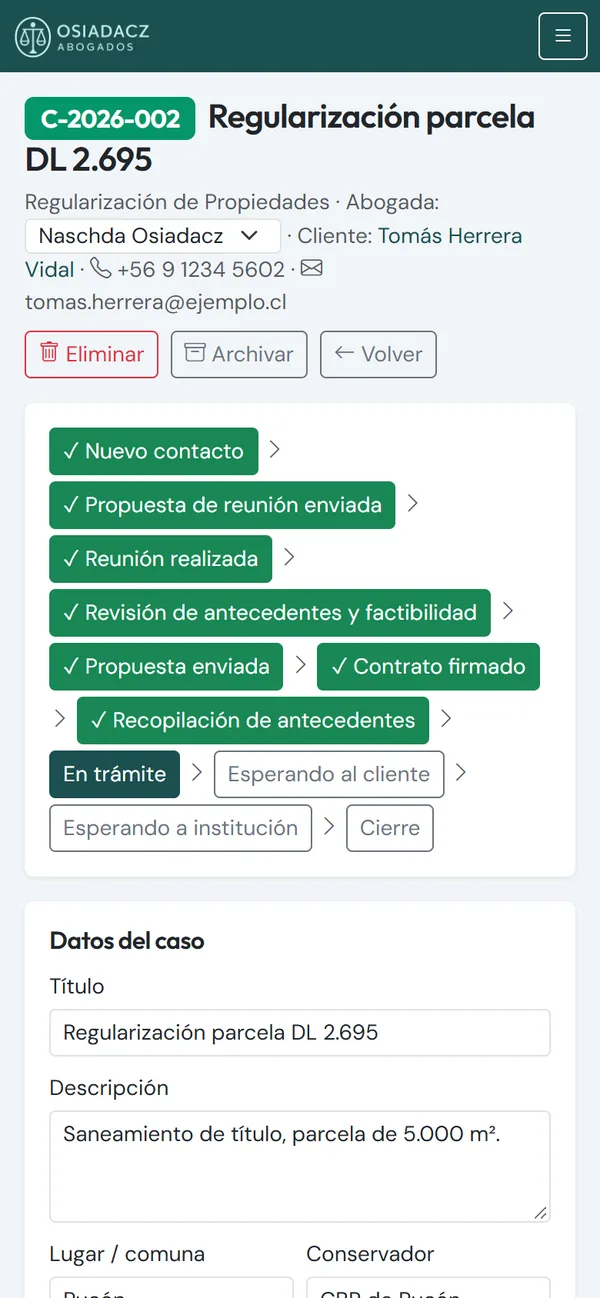
Each case gets an automatic code (C-2026-002) and a type: inheritance, regularisation, insurance, family… Each type has its own stages, from "New contact" to "Closed", through the meeting, the proposal, the contract and the procedure itself. It's assigned to a lawyer, and the case file holds everything: notes, files, tasks, reminders, appointments, payments and even the relevant land registry office, a key detail in Chilean property law that no generic CRM offers.
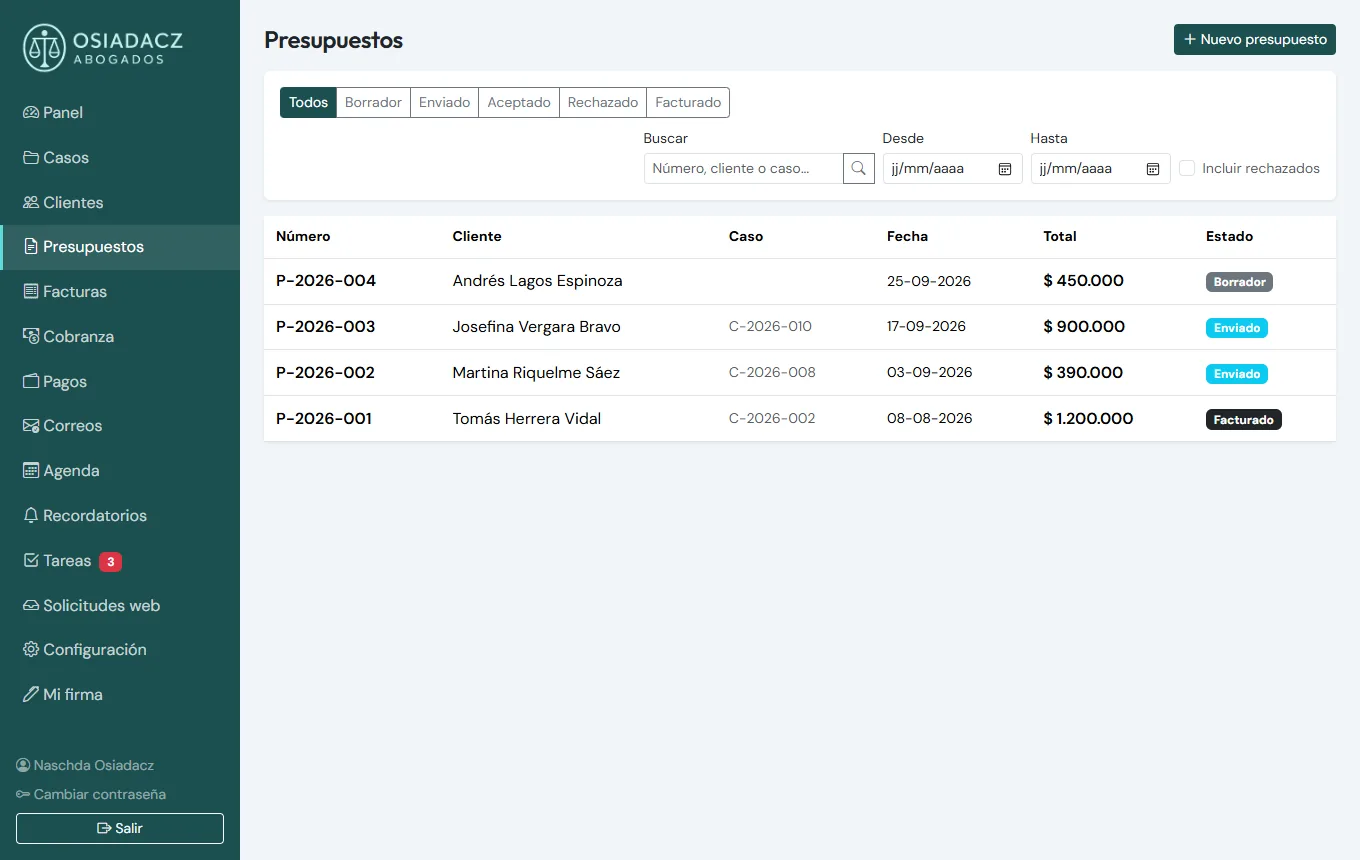
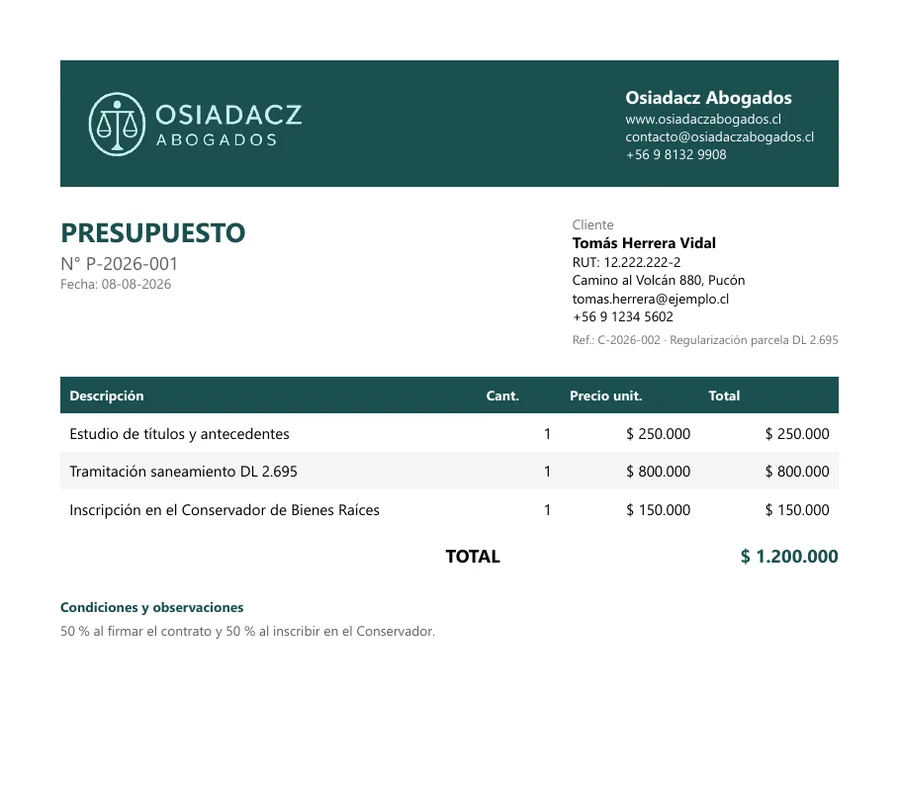
PDF quotes the client accepts online
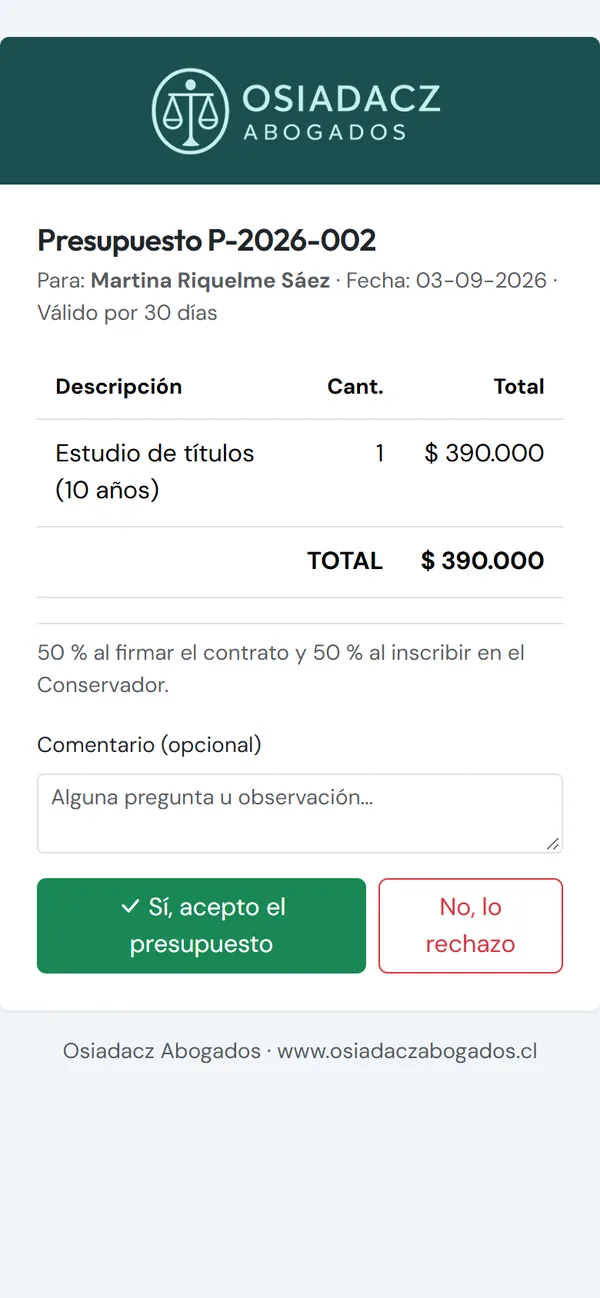
The quote is built line by line, in pesos, UF, dollars or euros (at the day's exchange rate), with VAT or fee withholding when needed. The CRM generates a branded PDF and emails it with a link: the client opens it on their phone and accepts or rejects it online. If they accept, the invoice is created automatically.
Daily tasks, automated
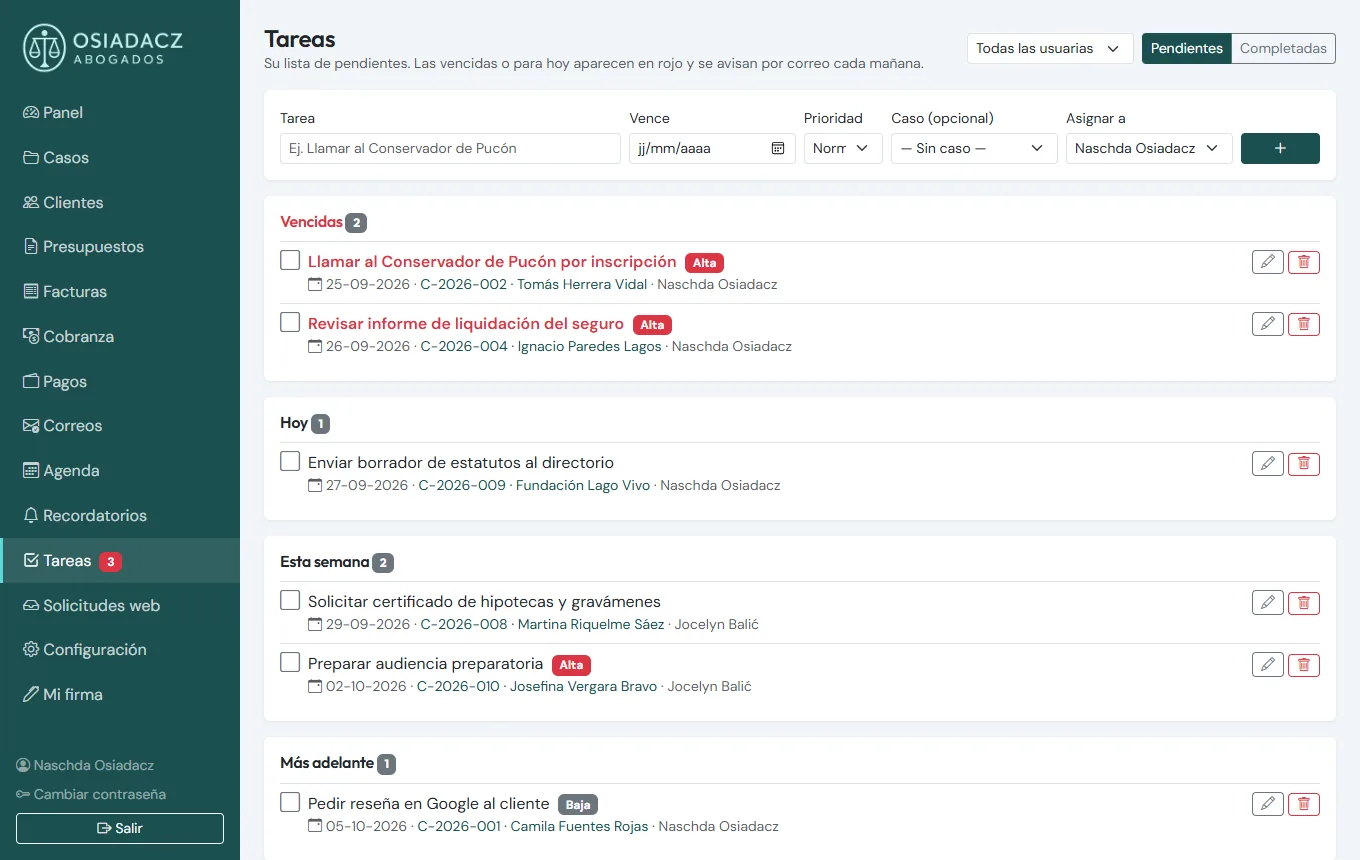
- Morning task summary by email for each lawyer, with overdue items in red.
- Automatic collections: on the 1st of each month, an email reminder for unpaid invoices.
- Instalment plans: an invoice is split into instalments with due dates, and each payment generates its PDF receipt.
- Email templates pre-filled with the case data: acknowledgement, document request, status update, fee proposal, Google review request.
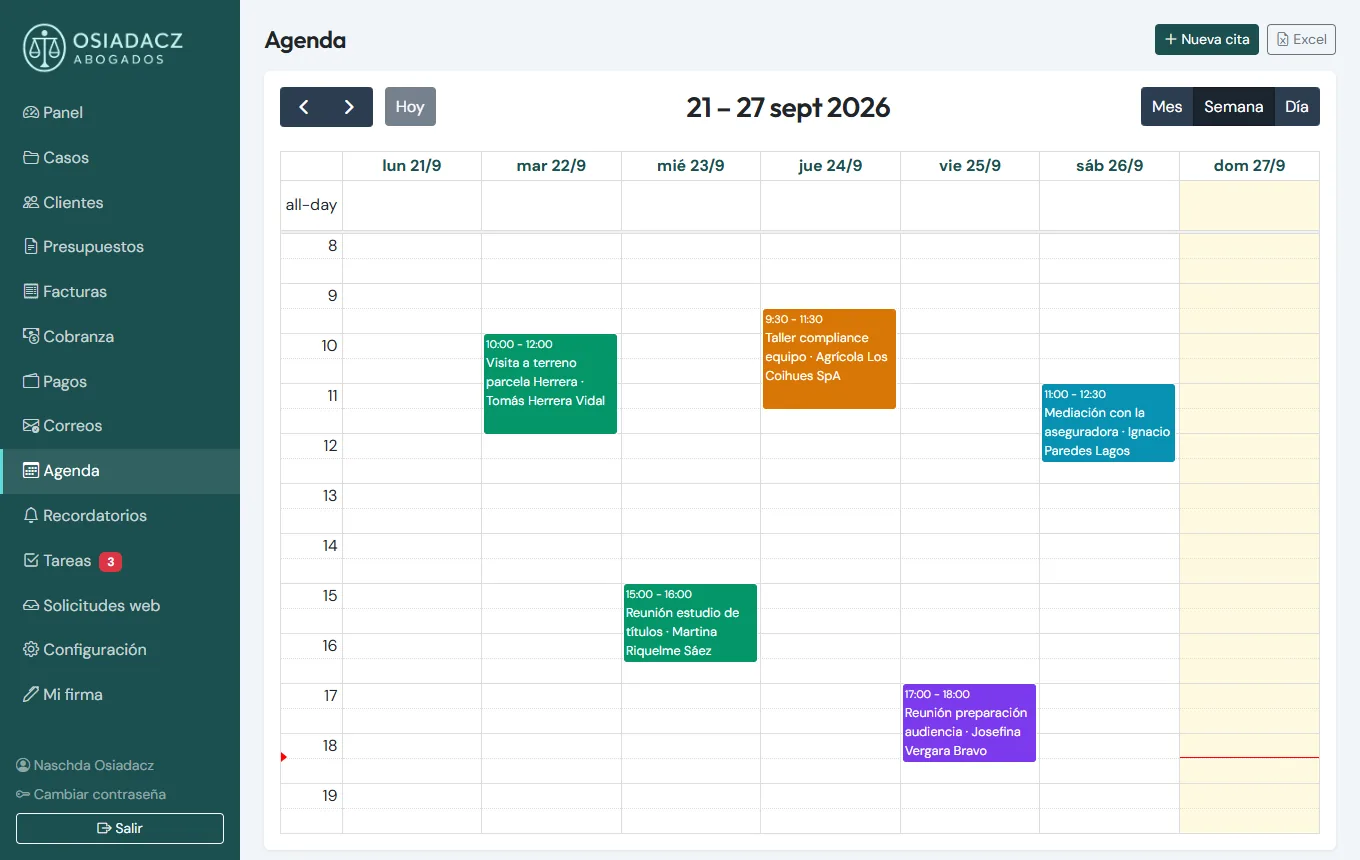
- Calendar with recurring appointments and advance reminders, syncable with the phone's calendar.
- Automatic numbering of cases, quotes, invoices and receipts, and Excel export on every list.
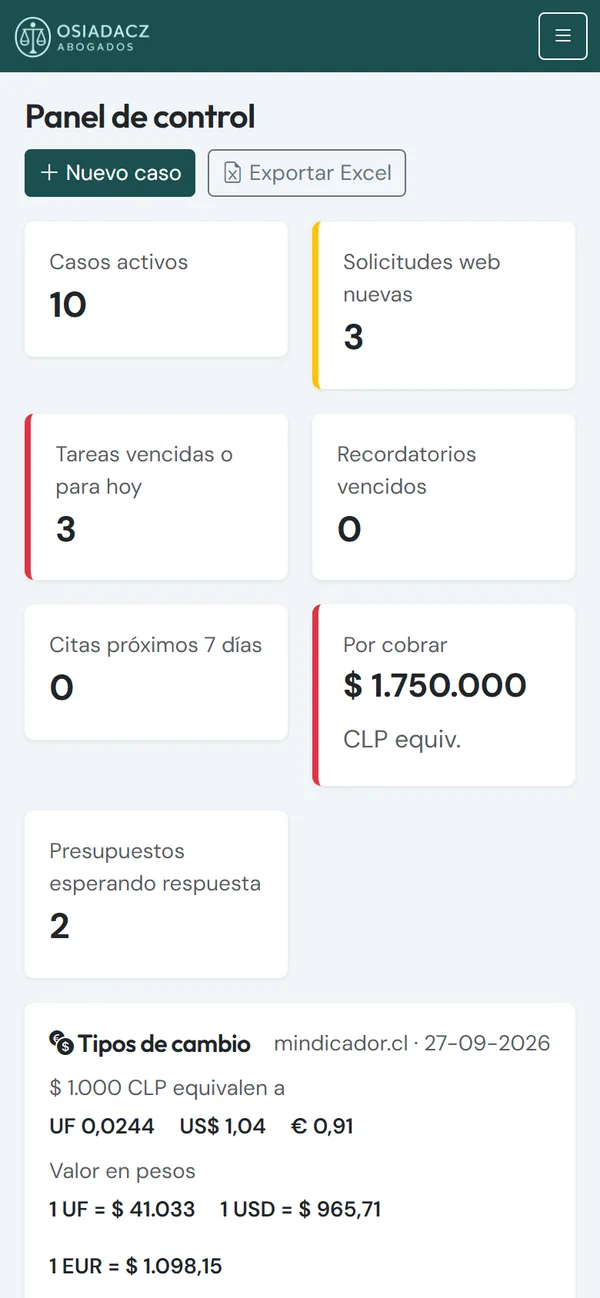
On the phone, just like on the computer
The whole CRM adapts to phone screens: reviewing a case before a hearing, ticking off a task or replying to a client works from anywhere. Each lawyer sees only her own cases; the administrator sees everything.
Case 2: ContAuditor, a CRM for an accountant
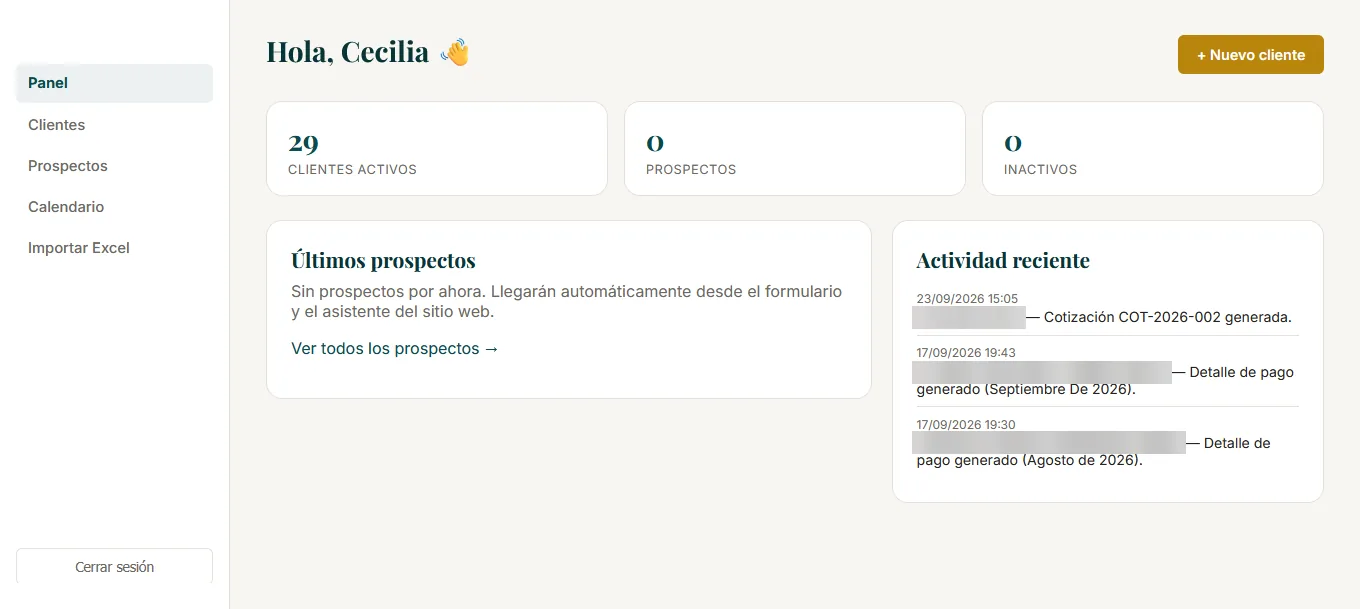
Cecilia Arancibia, a chartered accountant and auditor, needed something different: client files holding each company's tax data, and documents that repeat every month.
- Accounting client file: tax ID, line of business, tax regime, type of bookkeeping and legal representatives, with their documents and electronic signatures (with expiry dates).
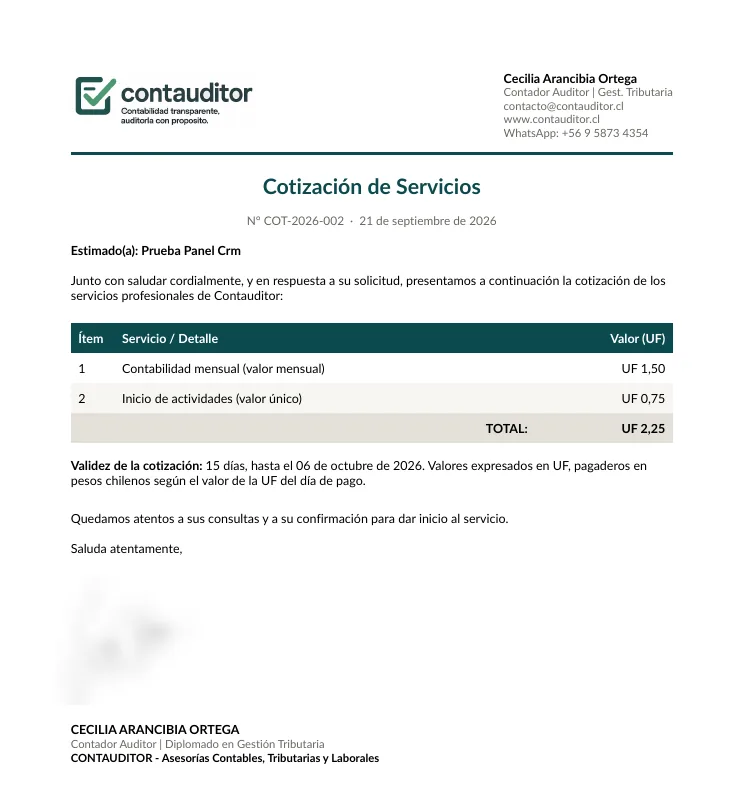
- PDF quotes in pesos or UF, automatically numbered and emailed in one click.
- Monthly payment breakdown (taxes, social security contributions and fees) generated as a PDF for each client.
- Self-filling certificates built from the client's data, with the amount in words and the signature included.
- Recurring reminders (weekly, monthly or yearly) so no deadline is missed.
- Excel import: the existing client portfolio was loaded in minutes.
- Prospects come in from the website form and its assistant.
Why custom rather than a generic CRM
- Your own database: the data is yours, in your own SQL Server database, not in a foreign company's cloud. Export it whenever you want.
- No per-user subscription: adding a lawyer or an assistant doesn't change the bill.
- Your documents, exactly as you need them: quotes, certificates, payment breakdowns… with your branding and wording.
- Built for Chile: RUT tax IDs, UF, VAT, fee withholding, land registry offices, daily exchange rates.
- Connected to your website: every enquiry goes straight into the CRM, no copy-pasting.
- Grows with you: start with the essentials and add features based on real use.
These CRMs are built with C#, .NET Core and SQL Server. If your firm still runs on spreadsheets and scattered emails, see my custom software and CRM development service.
Does your firm need its own CRM?
Let's talk for 30 minutes: I'll look at how you work today and propose a custom system with a clear price.
Get my free quoteMessage me on WhatsApp