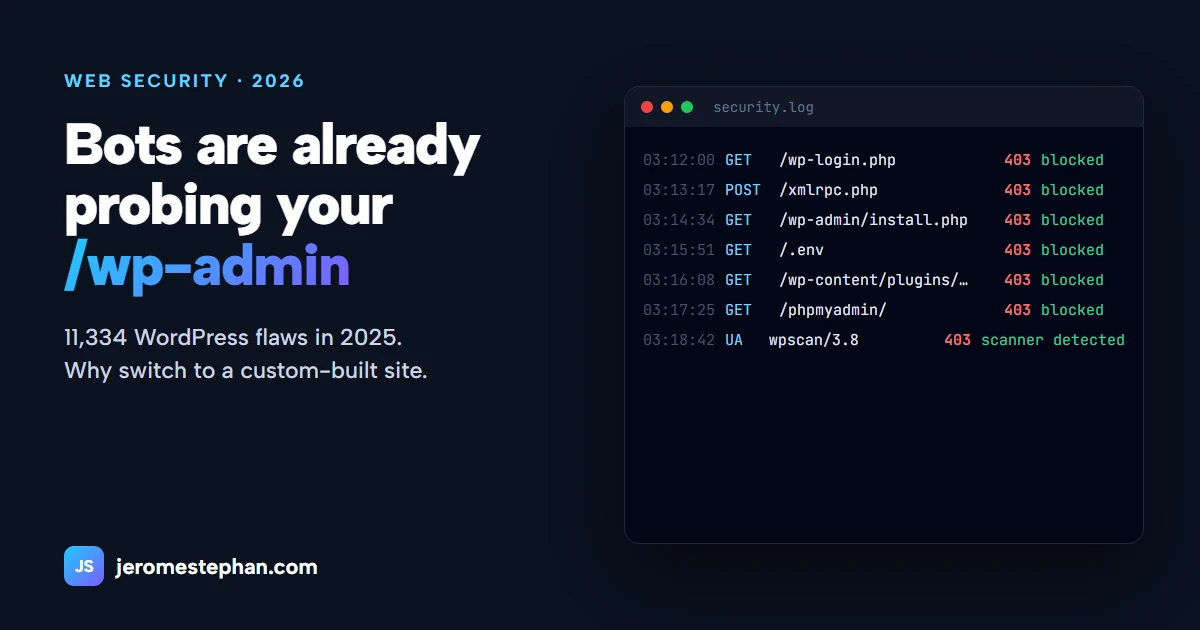
WordPress powers more than 4 out of every 10 websites in the world. That's exactly why it's the favourite target of automated attacks: a single flaw works against millions of sites. With artificial intelligence, those attacks are arriving faster and faster. Here's what's happening, why a custom site with its own admin panel is safer, and how I protect the sites I build.
The 2025 numbers
The annual report by Patchstack, a WordPress security specialist, is clear:
WordPress core itself is fairly solid (only 6 flaws reported in 2025). The problem is everything added on top: form plugins, sliders, shops, page builders… each written by a different author, some abandoned for years.
AI speeds up attacks
It used to take days between a flaw being published and being exploited. Now it's hours: with AI, an attacker compares the fixed version with the old one, understands what was patched and generates an attack ready to launch against thousands of sites.
The best example is "wp2shell", in July 2026: the first critical flaw in WordPress core exploitable without a password in nearly a decade, according to Wordfence. It was found with the help of an AI model. The patch came out on July 17 and within hours public exploits were circulating, with tens of thousands of attempts and fake admin accounts created on unpatched sites (BleepingComputer).
Why a small business WordPress site is so exposed
- Many third-party plugins, each with its own code and its own flaws.
- Updates nobody does: the site was built years ago and nobody maintains it.
- Addresses everyone knows: /wp-admin, /wp-login.php, /xmlrpc.php. Bots try them on every site on the internet, all day long.
- One attack works on millions of sites: it pays off for the attacker.
Why a custom site is safer
- Smaller attack surface: only the code your business needs exists, with no third-party plugins.
- No "mass" attack: a generic WordPress exploit is useless against a one-of-a-kind system.
- Your own admin panel, at an address that isn't everyone's, with strong passwords, lockout after failed attempts and roles (each user sees only their own data).
- A supported platform: .NET receives security patches from Microsoft, and database queries are parameterised, which shuts the door on SQL injection.
Careful: "custom" doesn't automatically mean "secure". A badly built custom system is vulnerable too. What counts is good practice, and here is mine.
How I protect the sites I build
1. A security filter inside the application
- Blocks known attack tools (sqlmap, nikto, wpscan, nuclei…) by their signature.
- Blocks suspicious paths: /wp-admin, /wp-login, .env, .git, phpmyadmin, web.config, appsettings.json. The irony: my .NET sites receive WordPress attack probes every day, and they're cut off instantly.
- Rate-limits requests per IP address and temporarily bans abusers.
- Detects SQL injection and XSS attempts with precise signatures, not blunt rules. I learned that an overly broad filter does more harm than good: a rule blocking any URL containing "0x" randomly broke some of the site's files.
2. Never block Google (or the AI that recommends you)
An aggressive filter that returns "access forbidden" to Googlebot drops your site from Google. Legitimate search engines and AI assistants are exempt from rate limiting, while robots.txt blocks SEO scrapers that only eat resources.
3. Hardened forms
Server-side validation, anti-forgery protection, reCAPTCHA or an invisible honeypot field only bots fill in, and detection of submissions too fast to be human.
4. A well-configured IIS server
- Mandatory HTTPS with HSTS, and redirection to a single address (with www).
- Security headers, and the server version hidden.
- A size limit on uploaded files.
- Secrets (passwords, API keys) kept out of the code and out of the public folder.
- Each site running under its own application pool identity, with minimal permissions.
An extract of the web.config I use:
<system.webServer>
  <security>
    <requestFiltering removeServerHeader="true">
      <requestLimits maxAllowedContentLength="10485760" />
    </requestFiltering>
  </security>
  <httpProtocol>
    <customHeaders>
      <remove name="X-Powered-By" />
      <add name="Strict-Transport-Security" value="max-age=31536000; includeSubDomains" />
      <add name="X-Content-Type-Options" value="nosniff" />
      <add name="X-Frame-Options" value="SAMEORIGIN" />
      <add name="Referrer-Policy" value="strict-origin-when-cross-origin" />
    </customHeaders>
  </httpProtocol>
</system.webServer>
5. Backups and monitoring
Automatic database backups, a tested restore, and log reviews to spot anything abnormal.
Moving from WordPress to a custom site without losing Google
The migration keeps the content, the images and, above all, the addresses: every old URL redirects (301) to the new one so the rankings you've earned aren't lost. Along the way you gain speed, and an admin panel designed only for what you actually need. See my .NET migration service for details.
Is your site running on WordPress?
I'll review its security for free and tell you, with no strings attached, whether to harden it or move to a custom site.
Get my free reviewMessage me on WhatsApp